
Did you know that small businesses lose thousands of dollars each year because of simple bookkeeping mistakes? The same problem affects many repair shops and dealerships that still rely on spreadsheets or paper records. Automotive accounting software helps you track income, expenses, inventory, and invoices from one place. Here is the thing. Managing daily finances does not have to feel confusing or stressful. The right software saves time and reduces costly errors. By the end of this guide, you’ll understand how automotive accounting software works, the features that matter most, and how to choose the best option for your business or future career.
What Is Automotive Accounting Software and How Does It Work?
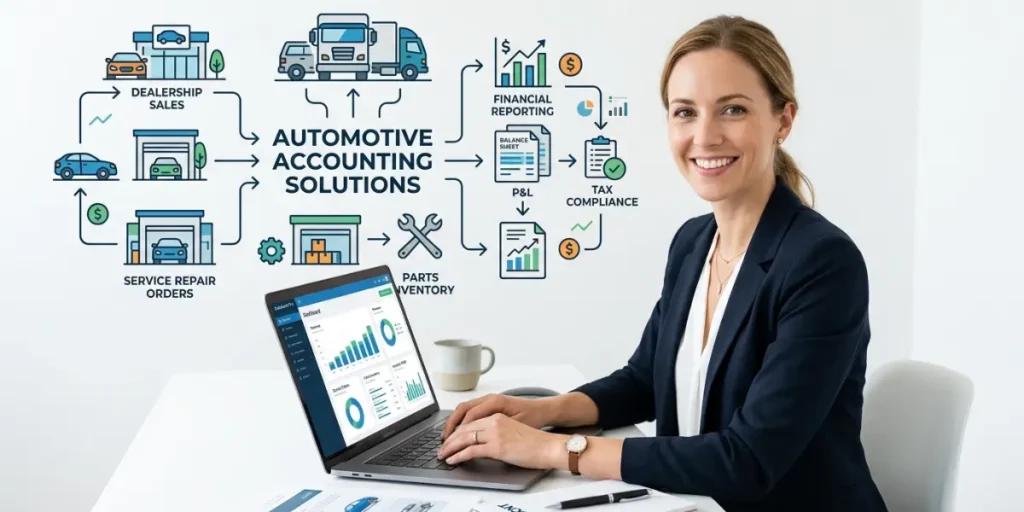
Automotive accounting software is a specialized financial management tool designed for auto repair shops, dealerships, and garages. It helps businesses manage invoices, track expenses, monitor inventory, process payroll, and generate financial reports from one dashboard. By automating daily accounting tasks, it reduces manual work, improves accuracy, and saves valuable time. Whether you run a small repair shop or a large dealership, this software helps keep your finances organized and your business running smoothly.
- Invoice and Payment Management
- Inventory Tracking
- Expense Management
- Financial Reporting
1.Invoice and Payment Management
Invoice and payment management helps businesses create accurate invoices and track customer payments in one place. This reduces billing mistakes and speeds up the payment process.
2. Inventory Tracking
Inventory tracking monitors spare parts and products in real time. It automatically updates stock levels after every sale, helping prevent shortages.
3. Expense Management
Expense management records daily business costs such as rent, salaries, utilities, and supplier payments. It helps owners control spending and manage their budget more effectively.
4. Financial Reporting
Financial reporting generates reports such as profit and loss statements, cash flow reports, and balance sheets. These reports help business owners understand their financial performance and make informed decisions.
Why Do Auto Repair Shops and Dealerships Need Automotive Accounting Software?
Auto repair shops and dealerships handle dozens of financial transactions every day, from customer invoices to supplier payments and inventory purchases. Managing all of this manually takes time and increases the risk of errors. Automotive accounting software simplifies these tasks by automating daily accounting work, improving accuracy, and giving business owners a clear view of their financial performance.
- Fewer Accounting Mistakes
- Faster Customer Billing
- Better Inventory Control
- Clear Business Reports
1. Fewer Accounting Mistakes
Automated calculations reduce manual errors in invoices, expenses, and tax records. This helps businesses maintain accurate financial data.
2. Faster Customer Billing
The software creates invoices in just a few clicks and records payments instantly. Customers receive accurate bills without unnecessary delays.
3. Better Inventory Control
Inventory updates automatically whenever a part is sold or purchased. This helps businesses avoid stock shortages and unnecessary purchases.
4. Clear Business Reports
The software generates detailed financial reports that show income, expenses, and profits. These reports help owners make better business decisions based on real data.
What Features Should You Look for Before Choosing Automotive Accounting Software?
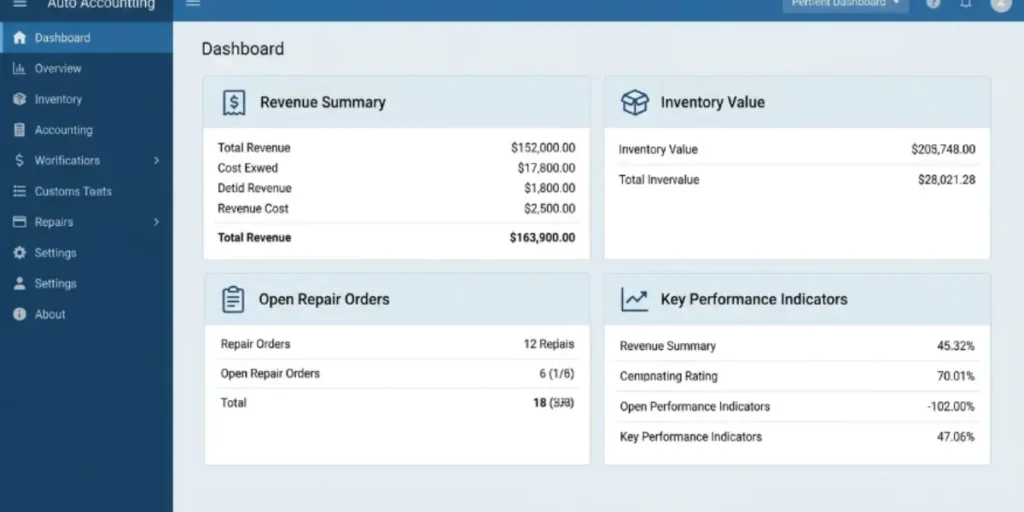
Choosing the right automotive accounting software depends on your business needs and daily operations. The best software should be easy to use, automate accounting tasks, and provide accurate financial data. It should also help manage invoices, inventory, taxes, and reports without making your work more complicated.
- Easy Invoicing
- Inventory Management
- Tax Calculation
- Payroll Management
- Financial Reports
- Cloud Access
- Integration With Other Tools
1.Easy Invoicing
The software should let you create professional invoices quickly and keep customer payment records organized. This helps improve billing accuracy and saves time.
2. Inventory Management
A good system tracks spare parts automatically after every sale or purchase. This keeps stock levels accurate and prevents inventory shortages.
3. Tax Calculation
The software should calculate taxes automatically and prepare reports for tax filing. This reduces manual work and lowers the risk of calculation errors.
4. Payroll Management
Payroll features help manage employee salaries, overtime, and deductions from one place. This makes salary processing faster and more accurate.
5. Financial Reports
Financial reports show your business income, expenses, cash flow, and overall profit. These reports help you make better financial decisions.
6. Cloud Access
Cloud based software lets you access your business records from any location using a computer or mobile device. Your financial information stays available whenever you need it.
7. Integration With Other Tools
The software should connect with payment systems, inventory tools, and customer management software. This reduces duplicate data entry and improves workflow efficiency.
Which Automotive Accounting Software Is Best for Beginners?
The best automotive accounting software for beginners should be easy to learn, affordable, and packed with essential accounting features. A beginner friendly platform helps new business owners manage invoices, expenses, inventory, and financial reports without requiring advanced accounting knowledge.
- QuickBooks
- Xero
- Shopmonkey
- Tekmetric
1.QuickBooks
QuickBooks is one of the most popular accounting solutions for small businesses. It offers simple invoicing, expense tracking, and financial reporting with an easy to use interface.
2. Xero
Xero is a cloud based accounting platform that helps businesses manage invoices, bank transactions, and expenses from any location. It is a great choice for beginners who want online access.
3. Shopmonkey
Shopmonkey is built specifically for auto repair shops. It combines accounting, repair order management, customer records, and inventory tracking in one system.
4. Tekmetric
Tekmetric is designed for growing automotive businesses that need accounting and shop management tools together. It helps manage invoices, inventory, and business reports from a single dashboard.
How Do You Choose the Right Automotive Accounting Software?
Choosing the right automotive accounting software depends on your business size, budget, and daily accounting needs. The best solution should be easy to use, include the features you need, and support your business as it grows.
- Identify Your Business Needs
- Compare Pricing Plans
- Check Customer Support
- Read Customer Reviews
1. Identify Your Business Needs
Start by listing the features your business needs, such as invoicing, inventory management, payroll, or tax reporting. This helps you avoid paying for features you will never use.
2. Compare Pricing Plans
Compare monthly or yearly subscription costs before making a decision. Look at the included features and choose software that offers the best value for your budget.
3. Check Customer Support
Reliable customer support is important when you face technical problems or need help with setup. Choose software that provides live chat, email, or phone support.
4. Read Customer Reviews
Customer reviews show how the software performs in real businesses. Reading feedback from repair shop owners and dealerships helps you make a more informed decision.
Here are more Information
How Can You Set Up Automotive Accounting Software Step by Step?
Setting up automotive accounting software is a simple process when you follow the right steps. A proper setup helps you organize financial records, manage invoices, and track business operations without confusion.
- Create Your Business Account
- Import Customers and Inventory
- Set Up Taxes and Payment Methods
- Train Your Team
- Review Reports Regularly
1. Create Your Business Account
Start by adding your business details, tax information, and company settings. This creates the basic structure for managing your financial records.
2. Import Customers and Inventory
Add customer details, vehicle information, and available spare parts into the system. This saves time and keeps important data organized.
3. Set Up Taxes and Payment Methods
Configure tax rates, payment options, and bank details correctly. Accurate settings help create error free invoices and financial reports.
4. Train Your Team
Teach your employees how to create invoices, record payments, and update inventory. Proper training helps everyone use the software effectively.
5. Review Reports Regularly
Check income, expenses, and profit reports every month. Regular reviews help you find problems early and make better business decisions.
What Are the Biggest Benefits of Using Automotive Accounting Software?
Automotive accounting software helps repair shops and dealerships save time, reduce accounting errors, and manage business finances more effectively. It gives owners better control over invoices, expenses, inventory, and financial reports.
The truth is, manual accounting becomes difficult when a business grows. A busy auto repair shop handling dozens of customers every week needs a faster way to organize financial tasks.
- Improved Financial Accuracy
- Faster Invoice Processing
- Better Cash Flow Management
- Easy Inventory Control
- Smarter Business Decisions
1.Improved Financial Accuracy
Automated calculations reduce mistakes in invoices, expenses, and tax records. This helps businesses keep accurate financial information without checking every entry manually.
2. Faster Invoice Processing
The software creates customer invoices quickly and records payments automatically. A repair shop can prepare bills in a few minutes instead of spending extra time on paperwork.
3. Better Cash Flow Management
Business owners can track income and expenses in real time. This helps them understand where money is coming from and where it is being spent.
4. Easy Inventory Control
The system updates spare parts inventory after every sale or purchase. For example, if a shop sells 15 oil filters in one week, the stock records update automatically.
5. Smarter Business Decisions
Financial reports show sales, profits, and expenses clearly. Owners can use this data to plan purchases, control costs, and grow their automotive business.
What Mistakes Should You Avoid When Using Automotive Accounting Software?
The biggest mistakes when using automotive accounting software include choosing the wrong software, ignoring updates, and not training employees properly. Avoiding these problems helps businesses get better results and manage finances more effectively.
Many auto businesses invest in software but fail to use it correctly. A proper setup, regular updates, and employee training help you get the full benefit of the system.
- Choosing Software Only Based on Price
- Skipping Employee Training
- Ignoring Data Backups
- Not Updating Business Information
- Using Unnecessary Features
1.Choosing Software Only Based on Price
The cheapest software may not include important features like inventory tracking or detailed reports. Always compare features before selecting a solution.
2. Skipping Employee Training
Employees need proper guidance to use invoices, payments, and inventory tools correctly. Even a short training session can improve daily work efficiency.
3. Ignoring Data Backups
Financial records contain important business information that should be protected. Regular backups help prevent data loss during technical issues.
4. Not Updating Business Information
Old customer details, prices, and tax settings can create accounting errors. Review your records regularly to keep information accurate.
5. Using Unnecessary Features
Too many complex features can confuse beginners and increase costs. Choose tools that match your actual business requirements.
How Does Automotive Accounting Software Compare With General Accounting Software?
Automotive accounting software is designed specifically for auto repair shops and dealerships, while general accounting software focuses on basic financial tasks. The main difference is that automotive software includes features like repair orders, vehicle records, and parts inventory management.
General accounting tools can handle invoices and expenses, but they may not support the daily needs of automotive businesses. A repair shop needs more than simple bookkeeping because it also manages vehicles, services, and spare parts.
- Industry Specific Features
- Inventory Management
- Customer and Vehicle Records
- Business Reporting
- Better Fit for Auto Businesses
1.Industry Specific Features
Automotive software includes tools made for repair shops, such as service orders and vehicle history tracking. General accounting software usually does not offer these automotive focused features.
2. Inventory Management
Automotive platforms track spare parts used during repairs and update stock levels automatically. General software may only record basic inventory costs without detailed part information.
3. Customer and Vehicle Records
Automotive accounting software stores customer details with vehicle service history. This helps shops provide faster service during future visits.
4. Business Reporting
Both software types provide financial reports, but automotive tools offer extra details about repair jobs, sales, and service performance.
5. Better Fit for Auto Businesses
A repair shop handling 100 or more customer visits each month can benefit more from automotive software. General accounting software may work better for businesses that do not manage vehicles or parts.
Frequently Asked Questions
1. What is automotive accounting software?
A: Automotive accounting software helps auto repair shops and dealerships manage invoices, expenses, payments, inventory, and financial reports. It keeps business records organized and makes daily accounting tasks easier.
2. Why do auto repair shops need automotive accounting software?
A: Auto repair shops use this software to save time, reduce accounting mistakes, and manage finances better. It helps track customer payments, spare parts, and business expenses in one place.
3. How does automotive accounting software work?
A: Automotive accounting software records sales, expenses, invoices, and inventory updates automatically. It organizes financial data so business owners can quickly check reports and monitor performance.
4. Which automotive accounting software is best for beginners?
A: The best software for beginners should be simple, affordable, and easy to learn. Options like QuickBooks, Xero, and Shopmonkey offer useful features for small automotive businesses.
5. What features should automotive accounting software have?
A: Good software should include invoicing, inventory tracking, expense management, tax reports, and financial reporting. These features help automotive businesses manage daily operations more efficiently.
Conclusion
We discussed how automotive accounting software helps repair shops and dealerships manage invoices, expenses, inventory, and financial reports. We also explored its benefits, important features, setup steps, and common mistakes to avoid.My personal recommendation is to choose software that matches your business needs instead of focusing only on price. A simple and reliable system can save time, reduce errors, and make daily accounting tasks much easier.
If you are planning to improve your automotive business management, start by testing a suitable accounting tool and checking its features. Try the tips mentioned in this guide and see how better financial management can support your business growth.